How to create Purchase Order from Need to Create PO - Negative ATS report
This report shows the styles recommended for production due to low stock (Negative ATS).'
Moreover, you can directly create Purchase Order for each vendor from this report.
1.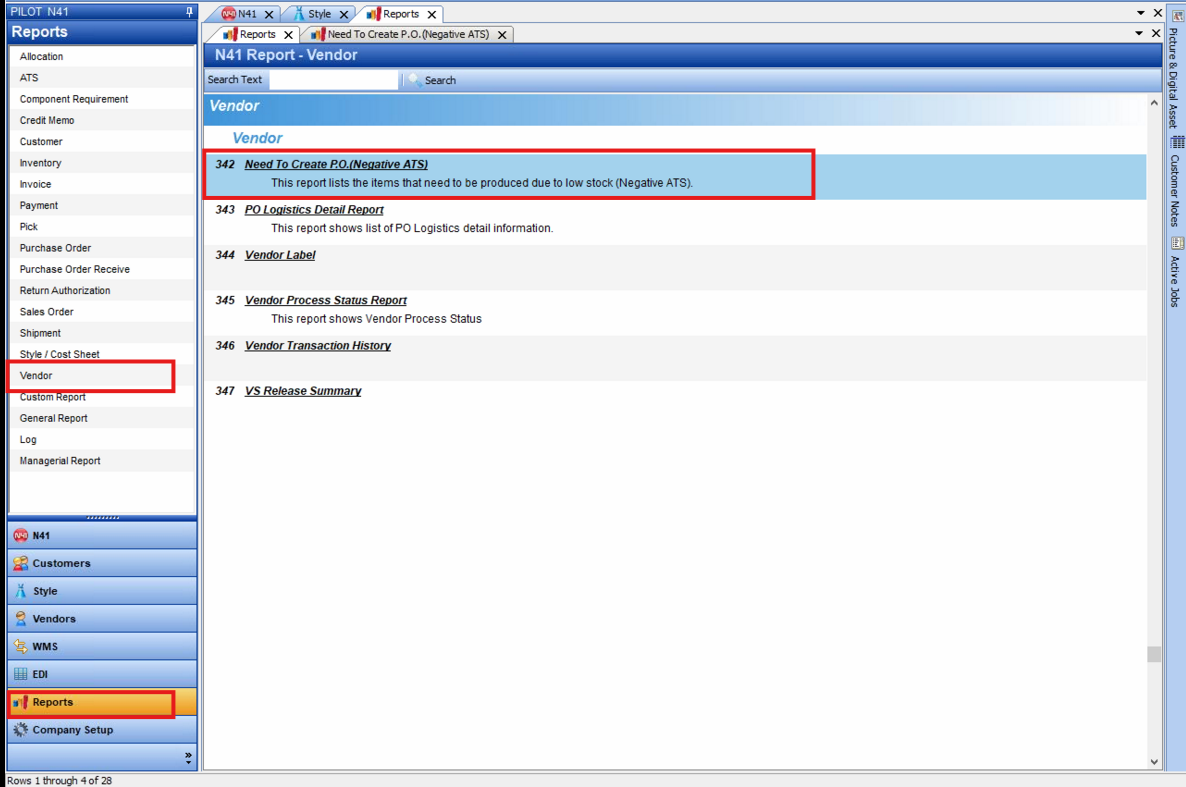
Locate the report at Vendor tab in Report section
Its Full name: Need to create P.O ( Negative ATS)
2.
This report shows the items recommended for production due to low stock (Negative ATS).
A vendor must be selected in the Style Master to display vendor information on the report and enable Purchase Order creation in the next step
3.Once you've reviewed the report, you can proceed to create POs directly from within the report
The pop-up table will listed the styles with negative ATS for each Vendor
You can review the styles you want to create POs for, tick box them, and then click 'Create PO'
Then please check the information in the PO once again before saving it